Introducing the New Yo Scenario: AI-Powered Creation and a Redesigned Editor
We’re preparing a new Yo Scenario release to help educators, learning designers and training teams move from an idea to a scenario learners can explore. It brings together a redesigned authoring experience, a new Design System and AI generation tools, while keeping you in control of the content and the decisions learners make.
Here’s a look at what’s coming, and how it could fit into your next project.
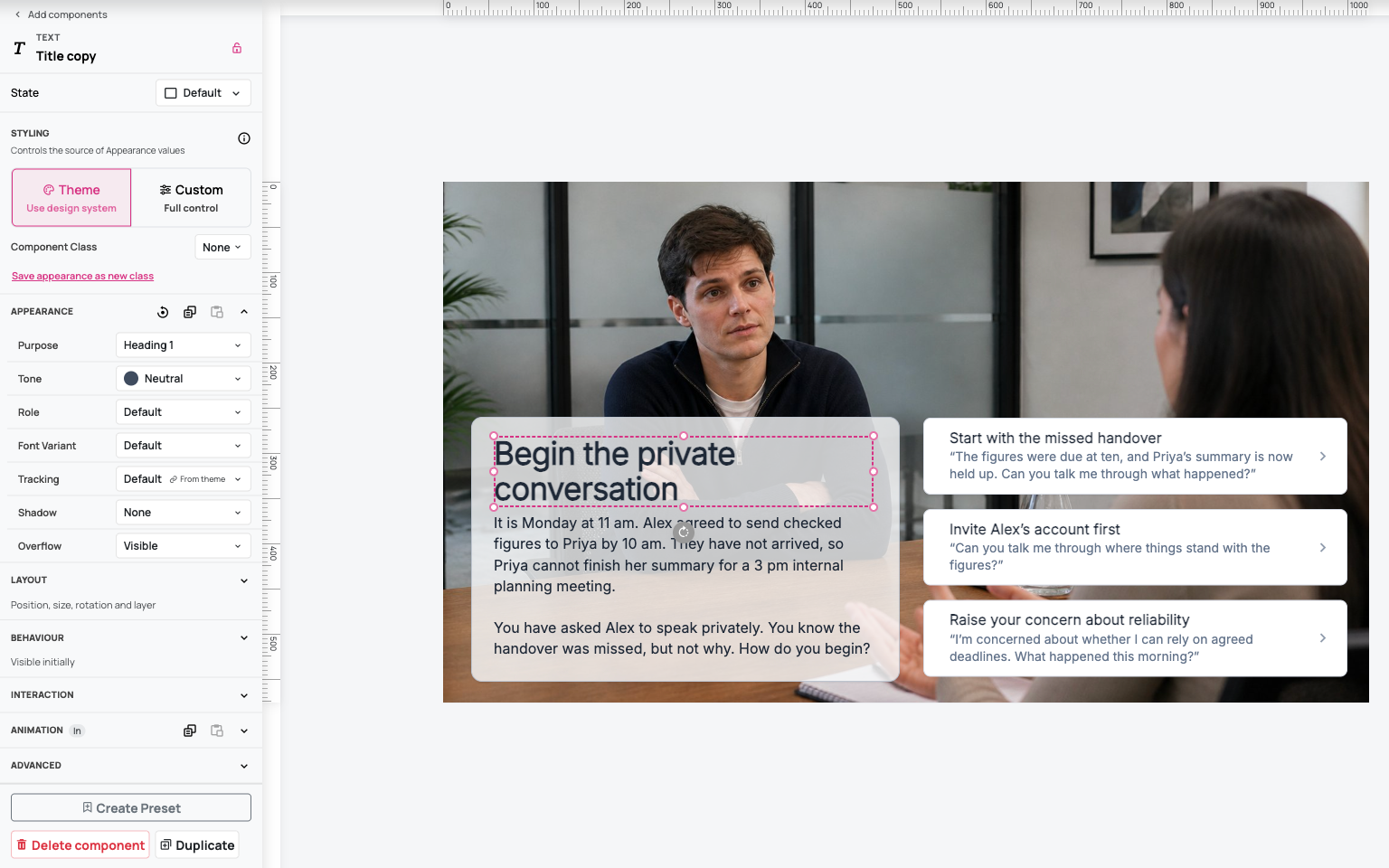
A preview of the redesigned editor using The Missed Deadline scenario.
A clearer workspace for creating
The redesigned editor will bring content, appearance and interaction controls into a refreshed authoring experience. Whether you’re building a short classroom activity or a branching workplace conversation, the aim is to make it easier to shape each scene and see how it fits into the wider experience.
The new Design System will help you give scenarios a consistent look through themes, presets and reusable visual components. Instead of adjusting similar elements individually, you’ll have a shared starting point for styling, with room to customise when a particular scene needs something different. For teams, that means less repeated formatting and more time to spend on the learning.
Turn a brief or document into a branching draft
You’ll be able to describe a situation or upload a PDF, DOCX or TXT document to generate a branching scenario draft. Start with your audience, the decisions they need to practise and the outcomes you want to explore.
For example, a training team could use a customer service guide as the starting point for a conversation with an unhappy customer. An educator could describe a difficult professional judgement and use the generated branches to begin a classroom discussion.
The draft gives you material to work with: scenes, choices and consequences that you can review and refine. You’ll still need to check accuracy, make the dialogue appropriate for your learners and ensure the feedback reflects your teaching goals or organisation’s guidance.
Build a consistent setting with images and audio
The release will also bring tools for generating character and location imagery, helping you carry a recognisable cast and setting across scenes. Keeping those visual references consistent can make a branching story easier to follow, especially when learners return to a character along different paths.
AI-generated audio will support spoken narration alongside your visual content. You can review the results, adjust the script and use your own media where that better suits the project. AI tools and usage will depend on the options available to your account.
Keep control of every choice
Generated content will remain editable. Rewrite a conversation, replace an image, change an outcome or reconnect a branch as your scenario develops. You can also build manually from the beginning, or combine your own work with generated material.
Before sharing, walk through the routes as a learner. Check that choices are meaningful, consequences make sense and each path supports the learning objective.
Publish for your learning environment
Delivery will continue to include web publishing and, where enabled for your plan, HTML and SCORM exports. That gives teams options for sharing scenarios online or delivering them through an LMS. Test your export in your LMS to check completion, scoring and resume behaviour. Our LMS delivery page explains the available routes.
Existing scenarios and customers will continue to be supported as the updated tools arrive. You can keep developing the learning experiences you already use while exploring the new authoring options.
Take a look ahead
Explore the Yo Scenario website and platform overview, then try Yo Scenario with a situation your learners need to practise. Check plans and availability for the tools available to your account. The Design System and AI updates described here are upcoming; we’ll share release news when they’re live.